Residential campus at dusk, houses lit from inside around a quiet courtyard
Behavioral health operations

The operating system for behavioral health.

Census, admissions, incidents, huddles, and the person who owns each one — across every facility.

Built for the floor, not another dashboard.
Morning huddle room: long table, coffee, and a wall of monitors
06:00 · Floor is opening
How it works

The day is already on the board.

Huddles, admits, incidents, and weekly meetings live in one place — as they happen, not as a recap at 6pm.

Facilities

Every house on one canvas.

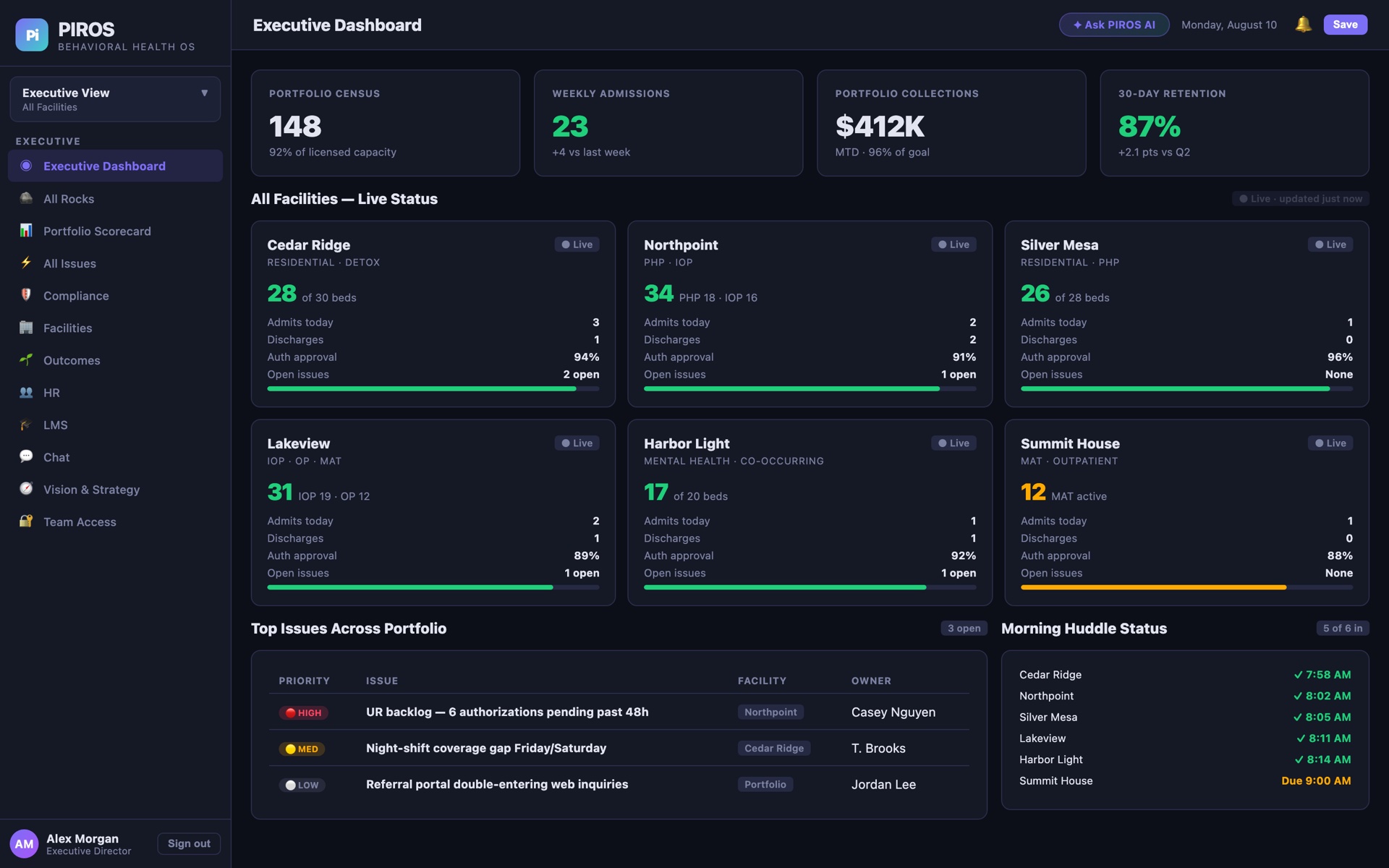
Occupancy and huddle status across the portfolio. Sample data shown.

Cedar Ridge

Residential · Detox
Occupied28 / 30

Northpoint

PHP · IOP
Occupied34 / 34

Silver Mesa

Residential · PHP
Occupied26 / 28

Lakeview

IOP · OP · MAT
Occupied31 / 31

Harbor Light

Mental health
Occupied17 / 20

Summit House

MAT outpatient
Occupied12 / 14
The film

Sixty seconds on the floor.

What it replaces, what it runs, and why the whole team will actually open it tomorrow morning.

Play the film
60-second overview · product shown with sample demo data
Inside the system

Every module. One source of truth.

Walk the day the way your team will — from the executive view down to a single house, client, or task.

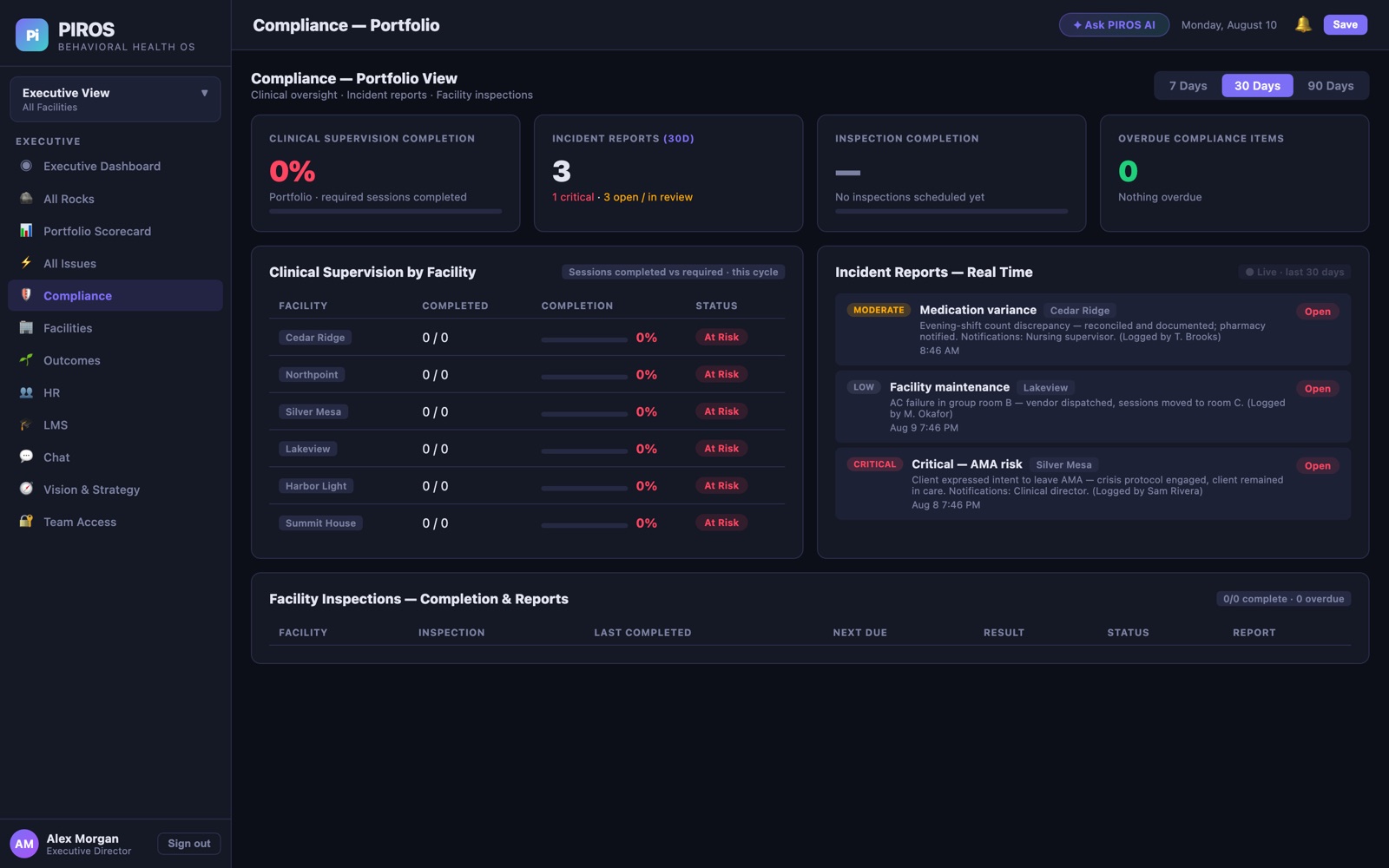
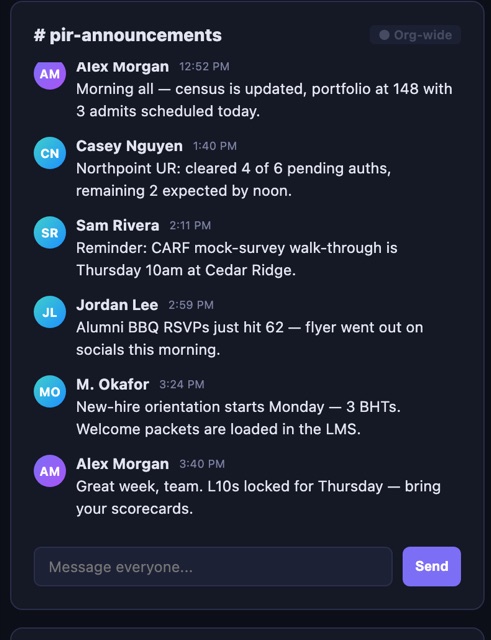
PIROS Executive Dashboard — live census and facilities Compliance portfolio view Rocks — quarterly priorities Organization hub with team chat
Executive view — all facilities
Built for the day-to-day

Nothing slips.
Everyone knows.

The moment something happens — an incident, an admit, a missed huddle — it is on the board for the people who need it. No forwarding. No re-typing. No “did you see my text?”

  • Live incident reports — severity, notifications, and status, streaming to compliance in real time
  • Org-wide + facility channels — chat that lives where the work lives
  • Morning huddle status — see which facilities are in before 9 AM
  • Owned by one person — every rock, issue, and to-do has a name on it
Real-time incident feed
Org-wide announcements chat
PIROS on a phone — executive dashboard
Anywhere the team is

In the hallway.
On the night shift.

PIROS installs to the home screen like a native app — full-screen, phone-sized, always current because it loads live from your server.

  • Add to Home Screen — scan the QR at sign-in and it is on the phone in seconds
  • No app store, no updates — every change ships instantly to every device
  • Desktop, tablet, phone — same data, right layout
Locked down by default

The board is not a shared inbox.

Client and operational data deserve more than a password on a sticky note. Access control is a feature, not an afterthought.

2FA

Two-factor, always

Every account signs in with an authenticator code. Passwords alone are never enough — including for administrators.

RBAC

Role-based access

People see what their role allows, enforced on the server. Executives control every level.

INV

Invitation-only

Accounts are created by an administrator and activated through a secure, expiring link.

Getting started

On the floor in three beats.

1

Request access

Sign up with your name, role, and email. Takes about thirty seconds.

2

Get activated

An administrator approves you. You receive a secure link — set a password, scan your QR, done.

3

Run the day

Your facilities, your team, your numbers — live on every device you own.

S
SPERA
The companion app for alumni

Care continues after discharge.

SPERA is the alumni companion — check-ins, follow-up surveys, and a private community after someone leaves treatment.

  • Daily check-ins and follow-up surveys at 30, 60, 90, 180 and 365 days
  • Private alumni chat, an events calendar, and a wall for photos and wins
  • Sobriety milestones that celebrate themselves
  • A flag the moment someone reports a slip or asks for outreach
Alumni sign-in and access live on the Explore page. Staff PIROS accounts stay separate.

Ready for the floor.

Sign in, request access, or open the alumni companion.